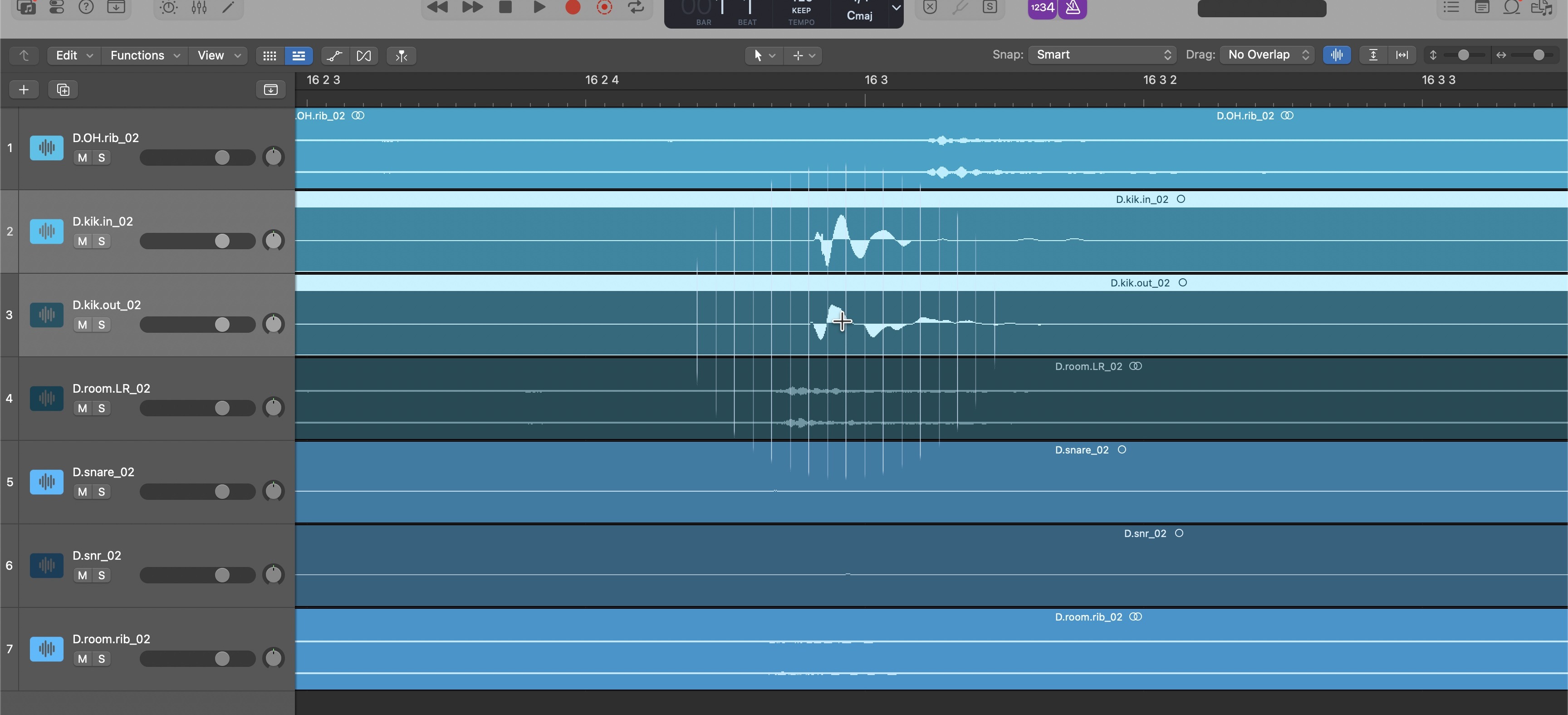
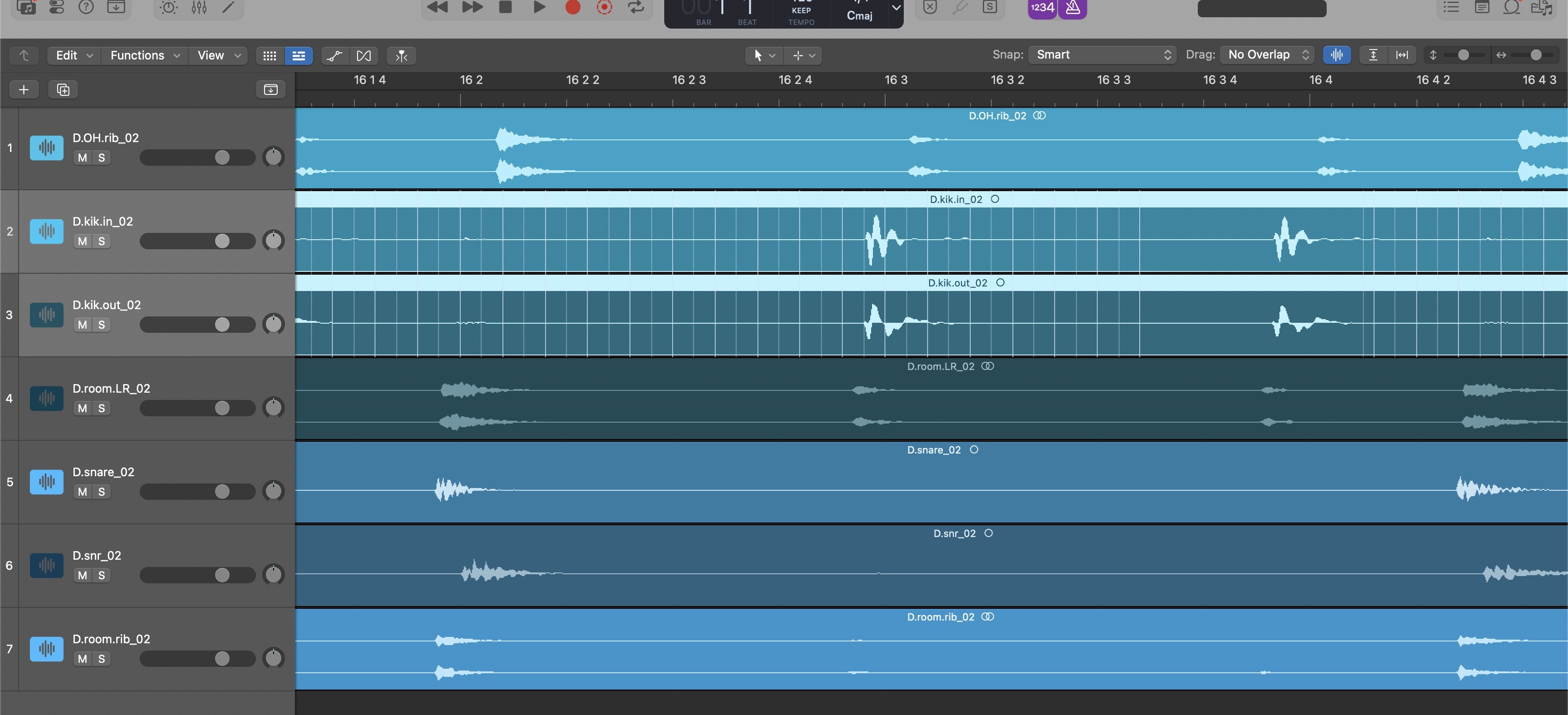
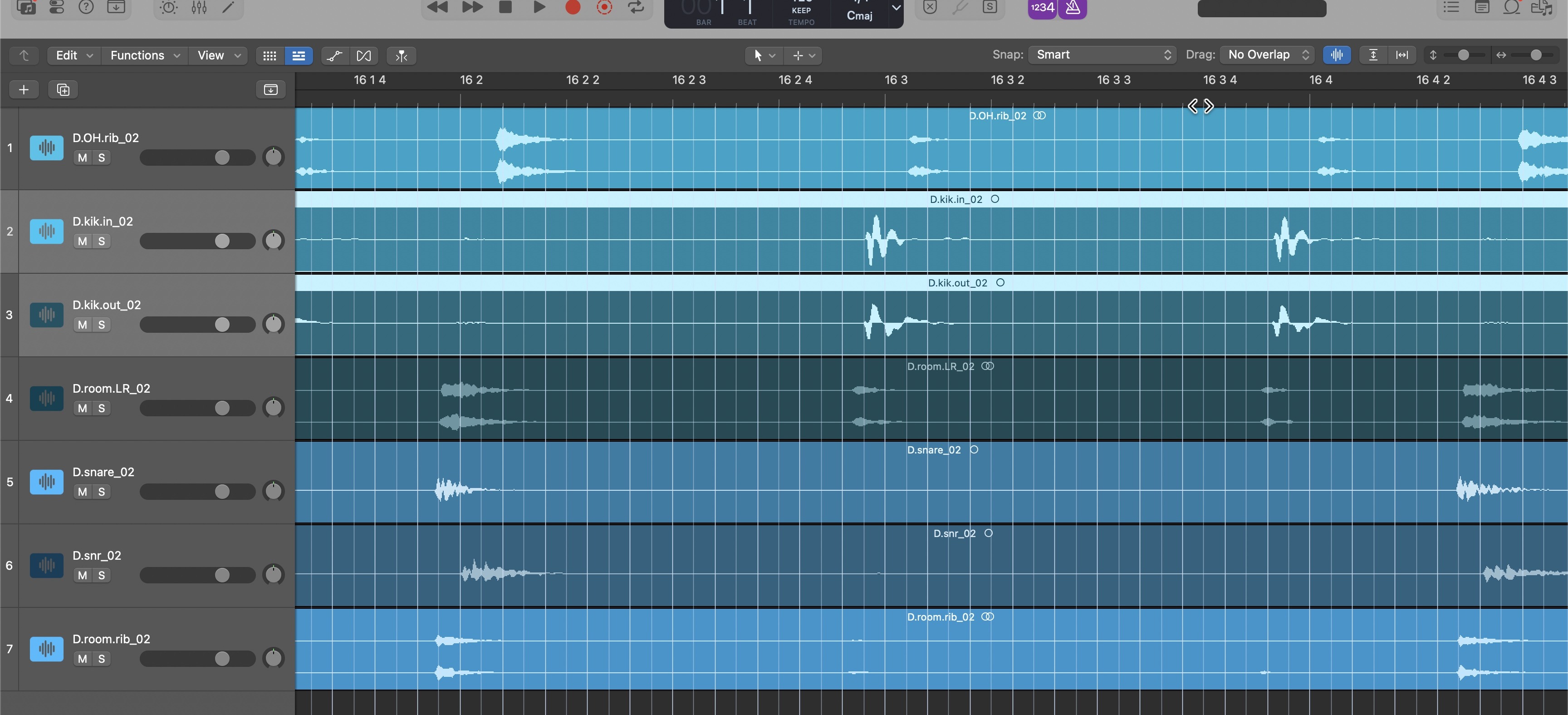
Not just a grid — a smart grid. Turn it on when you need it, off when you don't. Four display modes, full keyboard control, built for how music makers actually work.
Every other major DAW has visible grid lines. Logic Pro — Apple's flagship professional music creation tool — still doesn't. Not even after two decades of user requests.
But LogicGrid isn't just a grid. It's a smart grid. On when you need it, off when you don't. Four display modes. Full keyboard control. The grid Logic should have shipped with — and then some.
Download the DMG, drag LogicGrid to your Applications folder. Open it once to grant screen recording and accessibility permissions. Takes 60 seconds.
Start a session as you normally would. LogicGrid detects Logic automatically and reads your ruler to calibrate the grid to your project's tempo and time signature.
Hit ⌃⌥J to toggle the grid on and off. No visual clutter when you don't need it — full precision when you do. That's the whole idea.
On when you need it. Exactly where you need it.
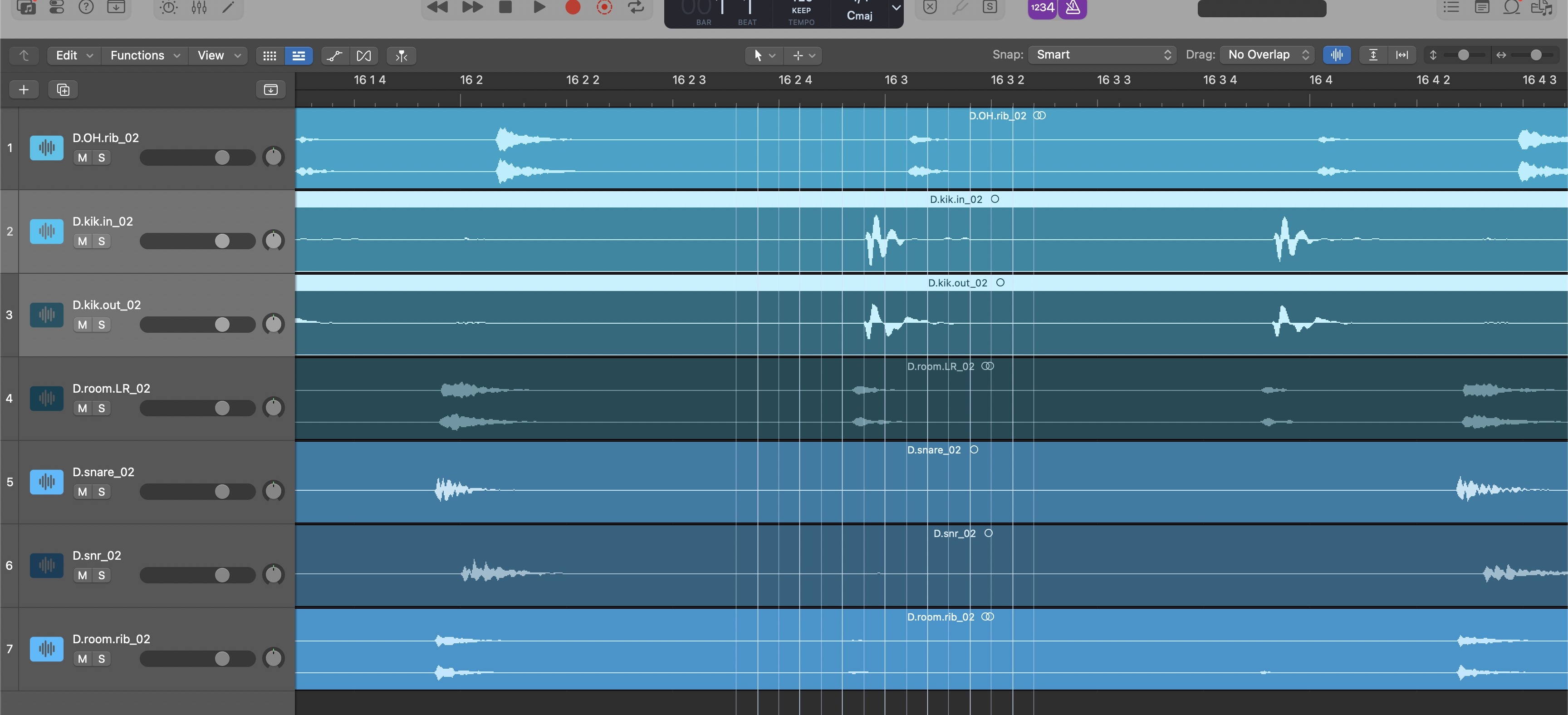
A precision line that follows your mouse across the arrangement. Toggle independently from the grid. Invaluable for drum editing.
Adjust subdivisions, line colors, opacity, and styles. Customize zoom behavior. Save and load profiles for different workflows.
LogicGrid automatically checks for updates and notifies you when a new version is available. You'll never miss an improvement.
I spent $800 at LensCrafters because I couldn't see the grid in Logic Pro. Could have just spent $30 I guess.
The Scrub Line is saving me so much time editing drums. Up to this point I've been having to drag the playhead around to line up live drum transients, now I just move the mouse.
I have sent Apple literally a thousand feature requests for this. You're working on something special here!
I'm proud of you kiddo.
I've been using it all week in sessions, super helpful.
I made the move from Pro Tools to Logic Pro, and everything was better except for the grid. So glad to have it back!
Been wishing for a grid while doing sound design in Logic. This makes tight placement so much easier.
No. LogicGrid is a macOS app and does not support Logic Pro for iPad.
No. Pay once, own it forever. All future updates are included at no extra charge. No subscription, no license keys, no DRM. It's yours.
LogicGrid requires macOS 14 Sonoma or later and Logic Pro 11 or higher. It will not run on earlier versions of either.
LP Colorizer and similar apps that modify Logic's interface are not currently supported and may cause the grid not to draw. We're aware of this and it's on the roadmap.
Full screen mode, secondary ruler, and marquee ruler are not yet officially supported. Colored Region Markers may cause the grid not to draw in some cases. These are on the roadmap for upcoming releases.
No. LogicGrid runs as a lightweight macOS overlay. It doesn't inject into Logic, modify any files, or touch your audio engine. CPU impact is negligible.
30 days, no questions asked. If it doesn't work for your setup, email hello@firstcrackaudiolab.com and you'll get a full refund.
Nashville based producer / writer Blake Mohler, who hates using Pro Tools except for the grid. Now he may never have to open it again.
LogicGrid is available now at its official launch price. DRM free, no subscription, 30-day money back guarantee.